
★★★★★
“Finally an app that gets it. My husband and I stopped arguing about whose turn it was to do laundry within a week. The kids actually check their chores off now.”
SK
Sarah K.
Mom of three · App Store
Bring everyone onto the same page. Shared calendar, chore rotation, family budget and meal planning — every part of family life, in one calm place.
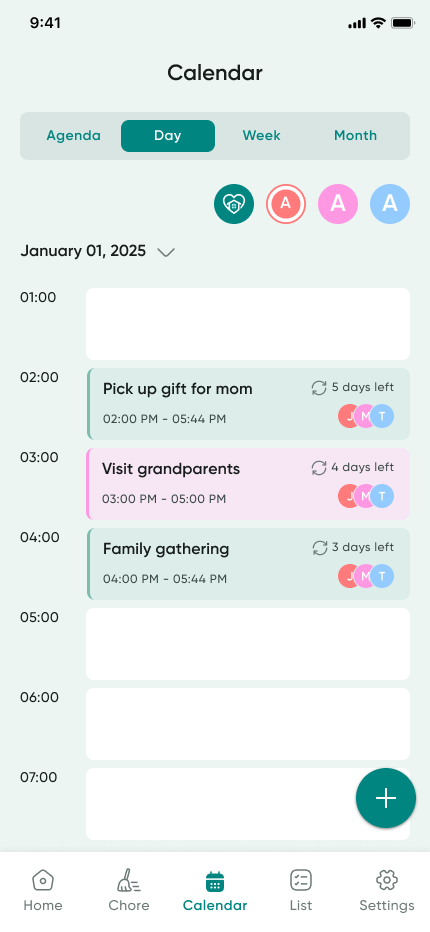
Birthdays, school events, anniversaries — color‑coded by family member and visible to everyone, instantly.
Switch between Day, Week, Month or Agenda. The whole household sees the same plan.
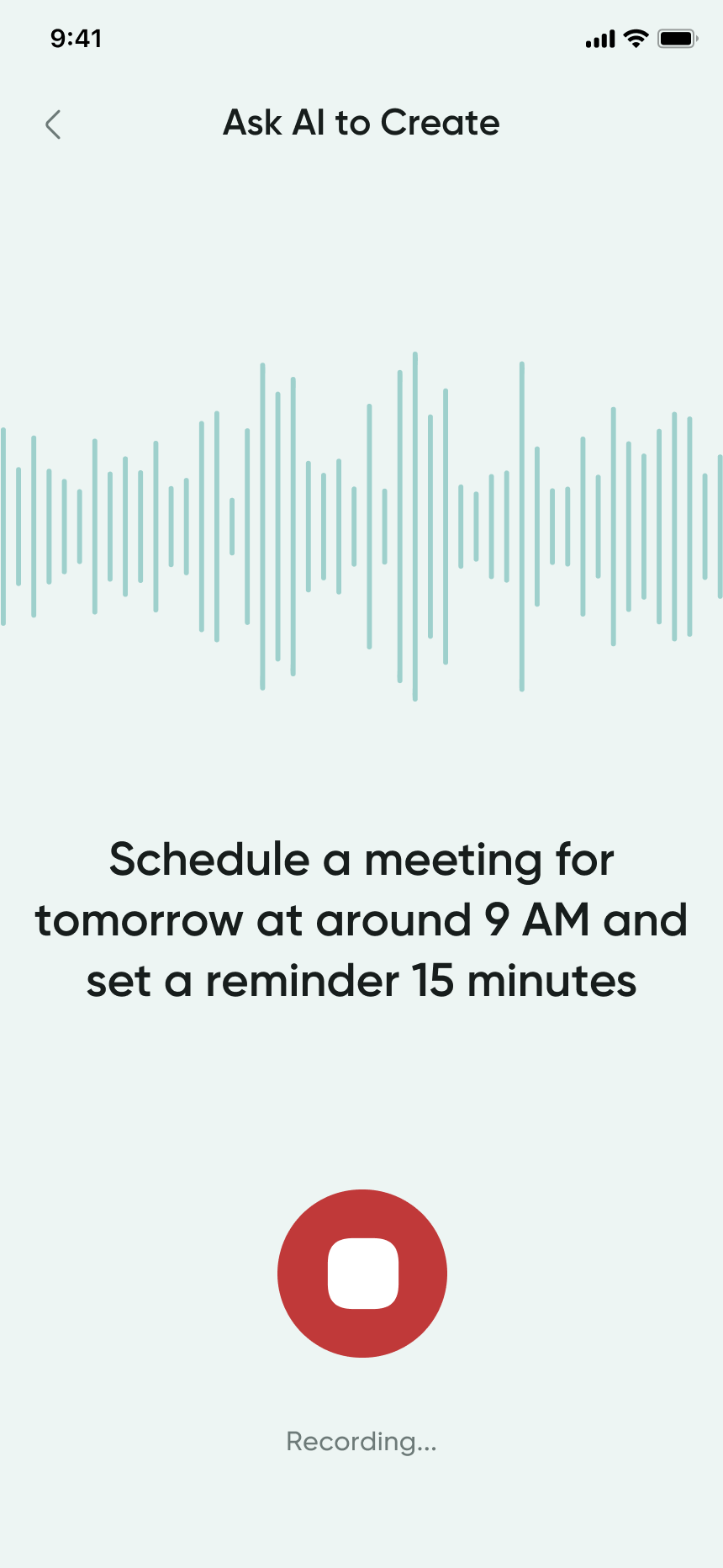
Just say it: "Meeting with Anna tomorrow at 3 PM" and the AI books it for you.
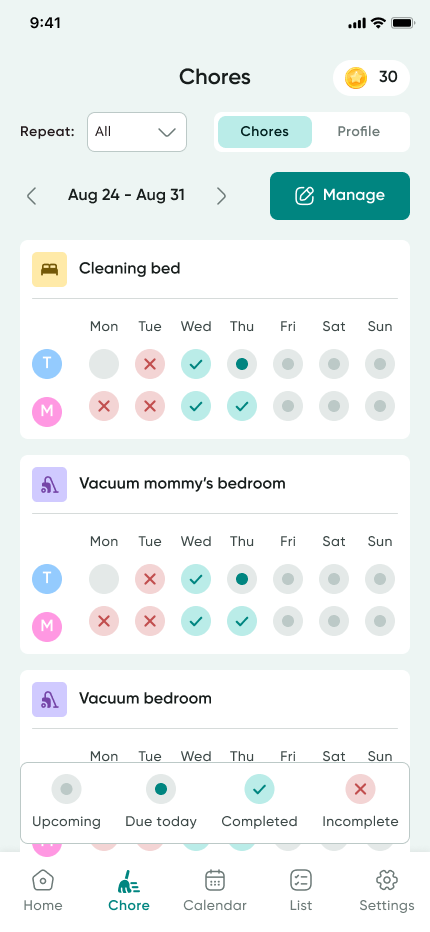
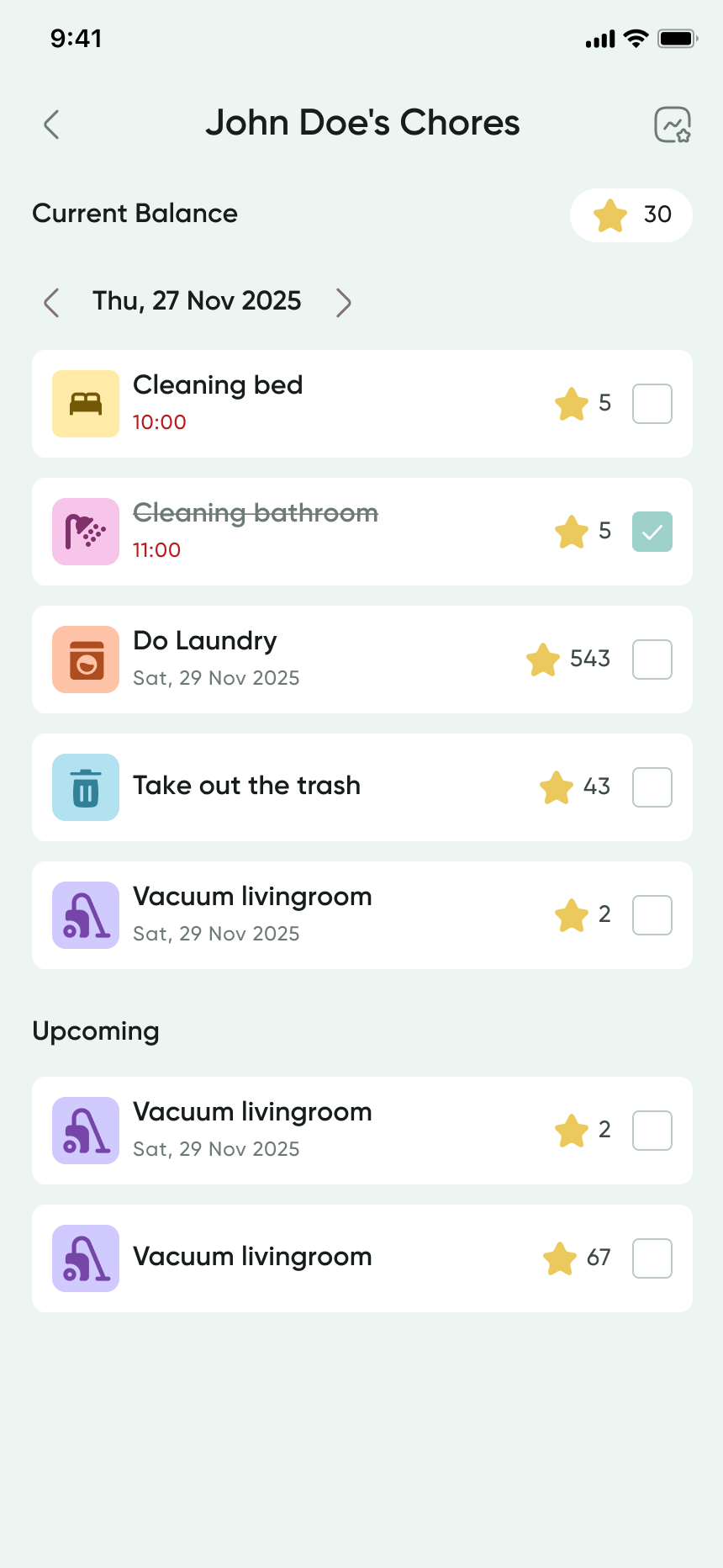
Assign chores by member, day and rotation. Everyone sees who's up — no more nagging.
A weekly grid shows what's done, what's due today, and what's still upcoming at a glance.
Earn stars for completed chores. Trade them for rewards the family decides together.
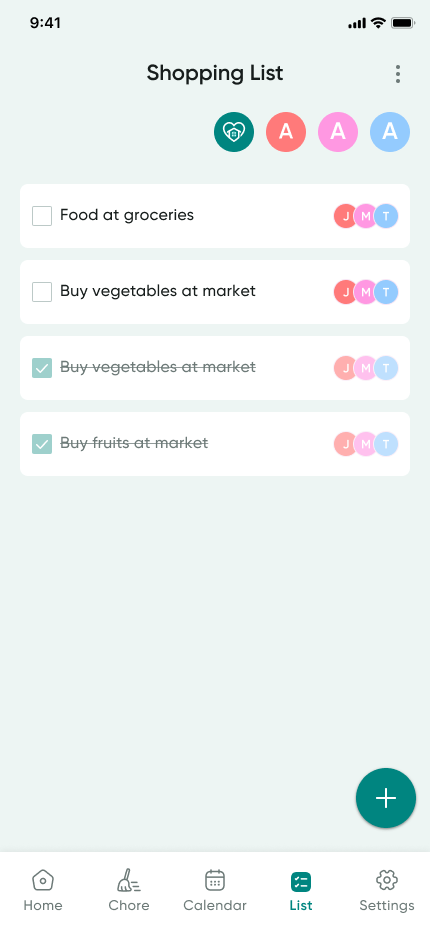
Add items from anywhere. The whole family sees the same list, in real time, on every phone.
Tick items off as you grab them. The struck‑through items show who got what.
Tag items by member so the right person picks up the right thing on their next stop.
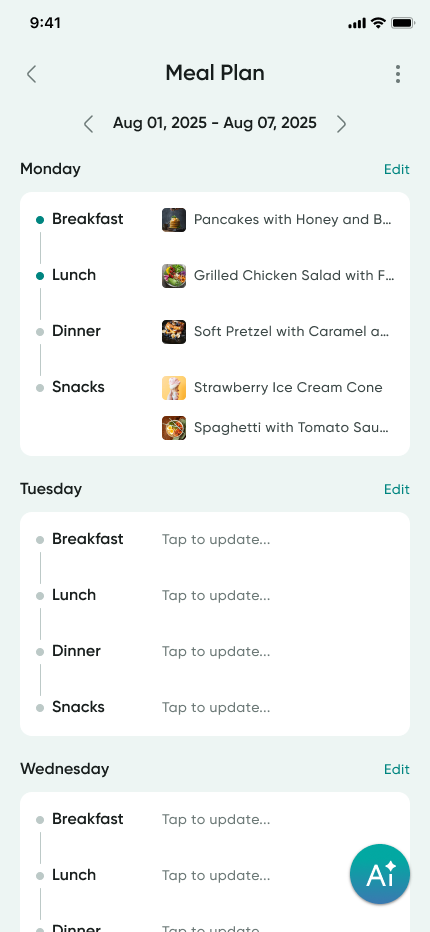
Plan the whole week — breakfast, lunch, dinner and snacks — for everyone at home.
Photos of each dish so kids can see what's coming. Tap to update in seconds.
Meals flow into the shopping list automatically, so groceries are always one tap ahead.
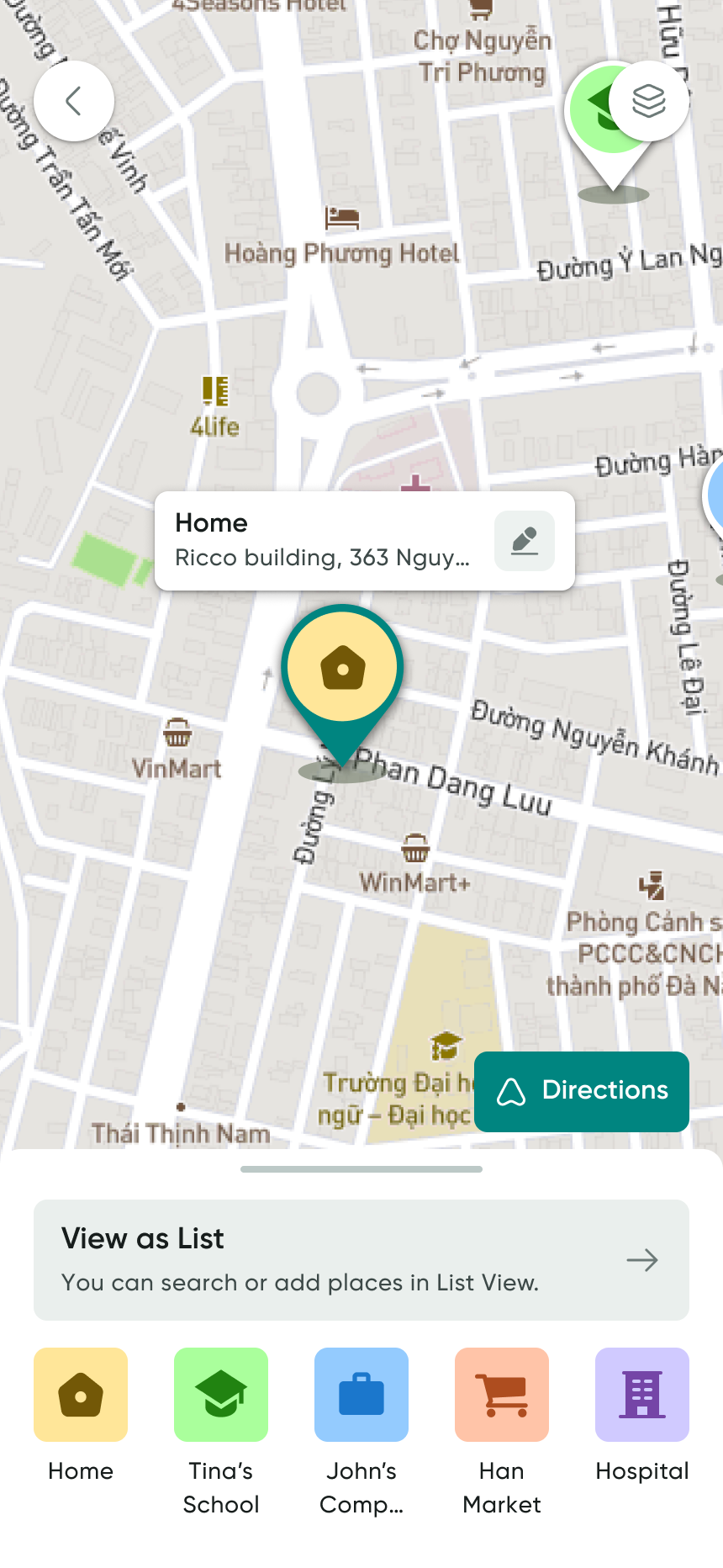
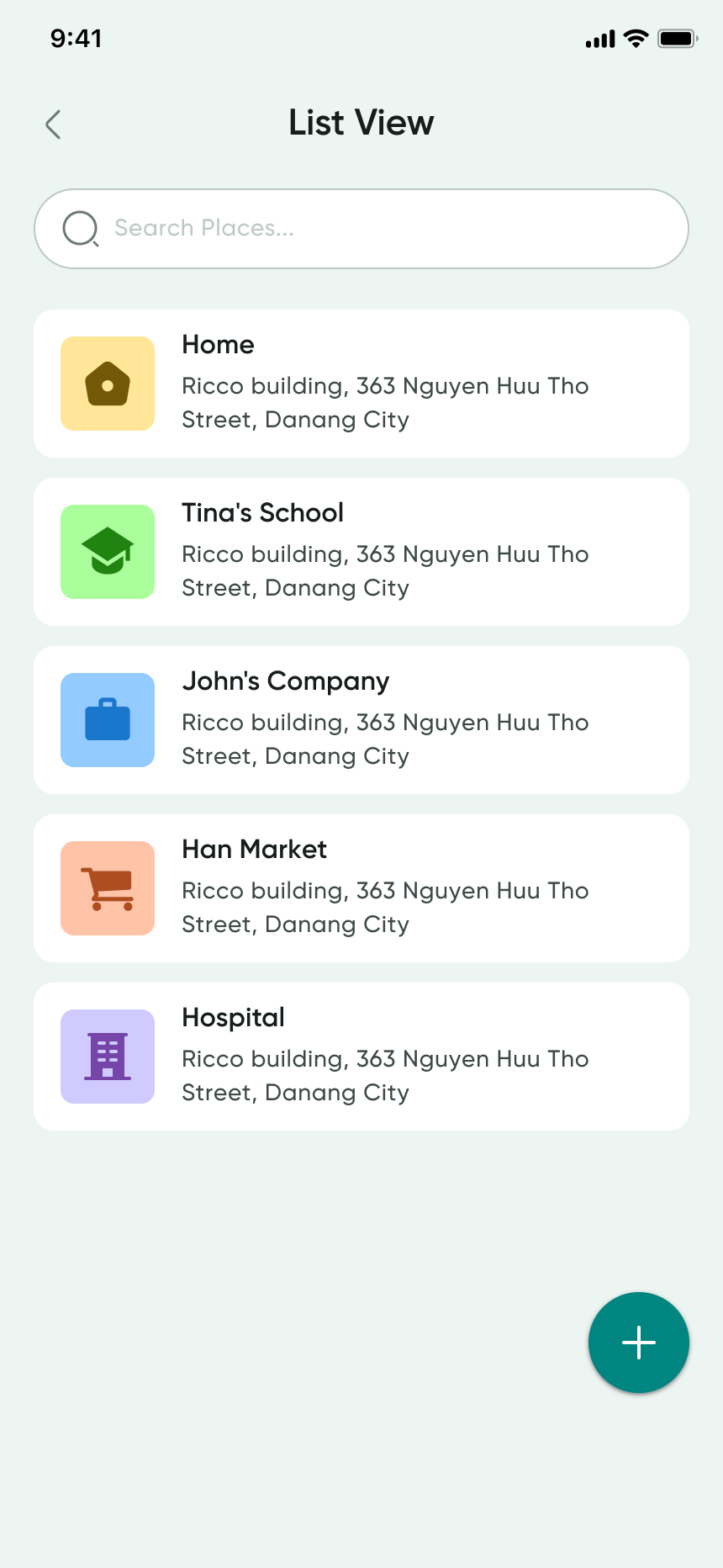
Home, school, work, doctor, grandma's house — pin the places your family goes most.
Tap any place for directions. No more typing the same address every Tuesday.
Share locations between family members so everyone knows where everyone is heading.
Little features that make Fami feel like it was made for your family.
See where the money goes. Set goals together as a family.
Each member — kids, parents, grandparents — has their own avatar.
Quiet nudges at the right time, on every device.
Easier on the eyes after the kids are asleep.
Birthdays, anniversaries, school events — never miss the moments.
English, Vietnamese, and more — switch any time per member.
Talk to Fami. It plans events, lists and meals for you.
Same data, same family, on every screen you own.
“Finally an app that gets it. My husband and I stopped arguing about whose turn it was to do laundry within a week. The kids actually check their chores off now.”
“We were drowning in shared docs and group chats. Fami pulled it all together — calendar, shopping, meals — and the whole house calmed down. Worth every minute setting it up.”
“The meal planner alone is worth it. We waste less food, the kids help with breakfast, and I haven't said ‘what should we eat tonight’ in months.”
Six checks that decide whether a family organizer app survives past the second week.
Read the guide →One calendar, one colour per person, and rules for what goes in — set up in an evening.
Read the guide →Start with fewer chores than you think, define done, and let kids tick them off themselves.
Read the guide →Which chores to pay for, how much, and how to track a balance your child can see.
Read the guide →Plan from the calendar, not the recipe book — and let the plan write the shopping list.
Read the guide →One live list on every phone, and one rule: whoever finishes it, adds it.
Read the guide →Category limits you agree on, expenses logged as they happen, and no month-end surprises.
Read the guide →Mixed phones are normal. What cross-platform should mean for a family app, and how to check.
Read the guide →Four to seven steps, in order, with pictures — and your child ticks them off, not you.
Read the guide →What a young child should see in a family app, what they should not, and how to start.
Read the guide →The most useful family organizer is the one that holds everything in a single place, because a calendar in one app and chores in another still leaves someone out of the loop. Fami combines a shared calendar, chore charts, kids allowance, meal planning, a shopping list, a family budget, and saved places — so no part of family life lives in a separate app.
Add each family member to Fami and every event is colour-coded by person, so one glance shows who has a game, an appointment, or a school run. You can import an existing Google Calendar and export events to your device calendar, and everyone gets a reminder before an event starts.
Yes. Fami combines a shared family calendar, chores, meal planning, and shopping lists, plus a household budget, kids allowance, and rewards. Most families run three or four separate apps for this; Fami is designed to replace them so there is one place to check and one place to update.
A chore chart works when children can see their own tasks and tick them off themselves. In Fami you assign a chore, set a deadline, and your child marks it done from their own view — you get a notification the moment it is completed, so nobody has to chase or nag.
Fami adds allowance automatically as chores are completed, so there is no separate tally to keep. Each completed chore credits your child's balance, and the history stays visible to both of you — which turns pocket money into something a child can see themselves earning.
The hard part of meal planning is deciding, not recording. Fami's AI meal planner asks a short quiz about your household and builds a week of meals from it, suggests recipes that match your dietary needs, and turns the finished plan into your shopping list in one step.
Fami's shopping list is shared across every family member's device. Anyone can add an item the moment they notice something has run out, and whoever is actually standing in the shop sees the current list — including whatever was added two minutes ago.
Add each family member to Fami, put shared events in the family calendar, and assign chores with deadlines. Events are colour-coded by person, and reminders help everyone keep track of what is coming up. You can also import an existing Google Calendar so your family's plans stay together.
Yes. Fami is on the App Store and Google Play, and there is a web app you can open in a browser on any computer. A family with a mix of iPhones and Android phones can all use it, and everything syncs across every device.
Yes. Set a shared budget with spending limits per category, and any family member can log an expense against it. Everyone else is notified when a new expense is added, so who paid for what stays visible instead of surfacing in an argument at the end of the month.
Fami has a Kid Mode that shows a simplified, age-appropriate view — a child sees their own chores, rewards, and allowance balance without the household budget or the family calendar. Parents keep control of what is assigned and what gets rewarded.
Fami is free to download and free to use for its core features — shared calendar, chores, shopping list, budget, and family places. Premium unlocks AI meal suggestions and advanced task tools at $4.99 per month or $44.99 per year, and the annual plan includes a 7-day free trial.
Free to start, free for your whole family. Get the apps on iOS and Android, or open the web app right now.